kraton bola Mobile App
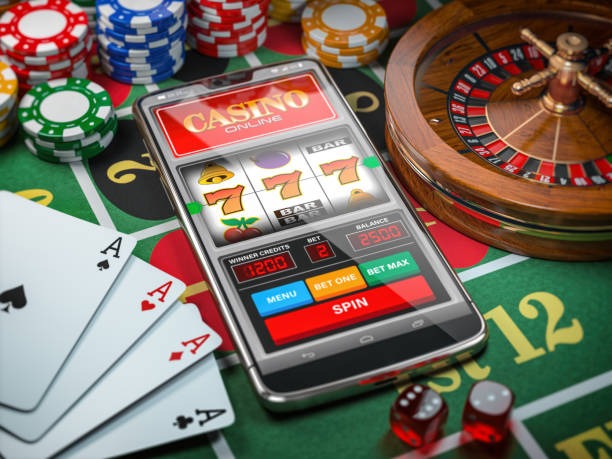
We at kraton bola offer a mobile-first experience across Android, iOS, and web platforms, letting you access live-dealer tables, sportsbook markets, and slot games from anywhere. Our app and web versions are built to work smoothly on devices with standard connectivity, and we support deposit and withdrawal via DANA, e-wallet, mobile banking, local payment, online payment, e-wallet, mobile banking, local payment, online payment, and e-wallet.
- and
- LoginOTP Verification
- Update
Mobile access to kraton bola means you can follow Liga 1 fixtures, place bets on Piala AFF tournaments, or join a live blackjack table during your commute or downtime. We design our platform to load quickly and use minimal data, so whether you're in Jakarta, Surabaya, Bandung, Medan, or Semarang, the experience remains consistent.
Our service is available only in jurisdictions where local law permits online wagering. Users are responsible for verifying that access to and use of kraton bola comply with their own jurisdiction's regulations. This page covers how to install our app, what to expect from each platform, and how to troubleshoot common setup issues.
Getting kraton bola on your device
We provide three main pathways to access kraton bola: a native Android APK download, an iOS web app via Safari, and a responsive web version for desktop or mobile browsers. Each method has its own setup flow, but all lead to the same account and live-dealer experience.
Installation steps
-
Download the kraton bola app or open the web version
Visit our download page or navigate to kratonbola.bet in your browser.
-
Install and grant permissions
For Android, enable installation from unknown sources in your device settings; for iOS, add the web app to your home screen.
-
Create or log into your kraton bola account
Enter your email, set a password, and complete identity verification with a valid ID document.
-
Deposit funds and start playing
Choose your payment method and transfer funds to your kraton bola wallet.

App versus browser experience
Our native Android app and iOS web app offer offline caching, so you can browse game categories and account details even without an active internet connection. Push notifications alert you to live events, new markets, and account updates. The app also loads faster on slower connections because it stores frequently used assets locally. Browser access works on any device with a modern web browser and provides the same account access, though without offline features. Choose the app if you play regularly; choose the browser if you prefer not to install software or use multiple devices.
Device compatibility
We support Android 7.0 and later on phones and tablets. For iOS, the web app works on iOS 12 and later via Safari. Desktop browsers including Chrome, Firefox, Safari, and Edge on Windows or macOS are fully supported. If your device is older than these versions, we recommend updating your operating system or using a different device to access kraton bola.
Troubleshooting common installation issues
If you see a warning about unknown sources on Android, go to Settings → Security and enable installation from unknown sources temporarily. For iOS, if the web app does not appear on your home screen after adding it, try clearing your Safari cache and adding it again. If the app crashes on launch, uninstall it completely, restart your device, and reinstall. Certificate trust errors on older Android devices can usually be resolved by updating your system date and time. If you continue to experience problems, contact our support team via live chat or email for assistance.

Data, permissions, and account security
When you install kraton bola, the app requests permission to access your device's camera and microphone for live-dealer video streams, and your location data is never collected or stored. Your account credentials are encrypted in transit and at rest. We do not share your personal information with third parties except as required by law or to process your deposits and withdrawals through DANA, e-wallet, mobile banking, local payment, online payment, e-wallet, mobile banking, local payment, online payment, or e-wallet. Always use a strong, unique password and enable two-factor authentication if available. If you suspect unauthorized access, change your password immediately and contact support.
Keep your kraton bola account secure
Never share your password, use public Wi-Fi cautiously, and log out after each session on shared devices.
Why choose kraton bola mobile
Our mobile platform mobile bankingngs live-dealer tables, sportsbook coverage of Liga 1 and international tournaments, and esports markets directly to your pocket. Whether you follow Piala Indonesia fixtures, enjoy Sic Bo or Dragon Tiger at our live studios, or play slot games like Aviator and Sweet Bonanza, kraton bola's app and web versions deliver a consistent experience. Fast load times, secure transactions, and support for all major Indonesian payment methods make kraton bola accessible to users across the region.